Free Online Image Compressor – Reduce Image Size Without Losing Quality
Large images slow down websites, take up storage space, and make file sharing difficult. Our Free Online Image Compressor helps you compress JPG, PNG, and WebP images directly in your browser without uploading them to any server. This ensures speed, privacy, and security. With adjustable compression quality, you can balance between smaller file size and higher image clarity effortlessly.
What is an Image Compressor?
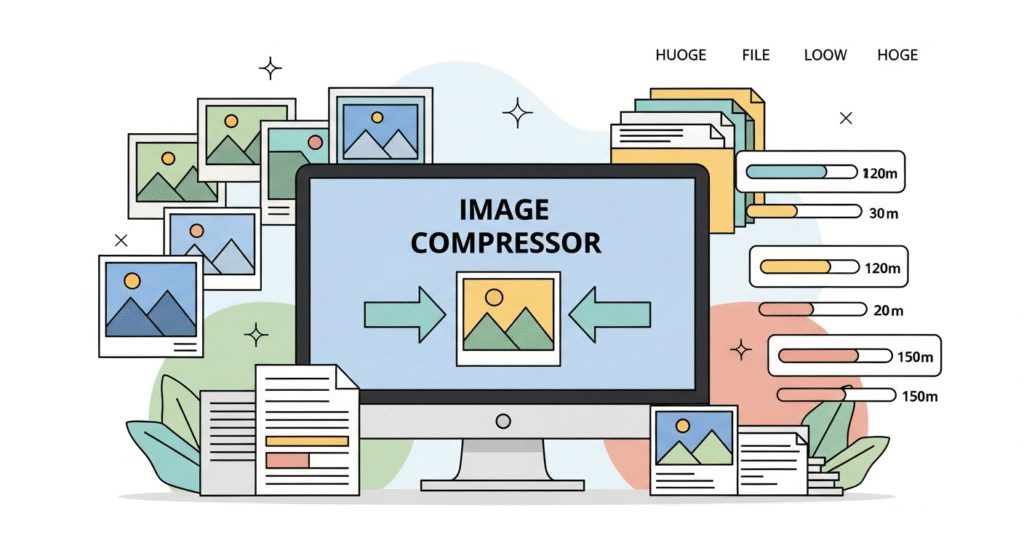
An image compressor is a tool that reduces the file size of digital images by applying smart compression techniques. Our tool works fully in your browser, meaning your files are never uploaded or shared. You can drag & drop an image, adjust the compression quality with a slider, and instantly download the optimized version.
Key Features of Our Image Compressor
- Supports Multiple Formats – Works with JPG, PNG, and WebP images.
- In-Browser Compression – 100% client-side, ensuring privacy and speed.
- Adjustable Quality – Use the slider to choose between smaller file or higher quality.
- Instant Preview – Compare original and compressed images side by side.
- One-Click Download – Save the optimized image with a single click.
How Does the Image Compressor Work?
The tool reduces image file size by lowering unnecessary data, resizing metadata, and optimizing pixels. With the quality slider, you can decide:
- Smaller File – Choose lower quality for maximum compression.
- Higher Quality – Retain sharper image details while reducing file size moderately.
Example: An original image of 134.68 KB can be compressed to 73.16 KB (46% smaller) while keeping the quality nearly identical to the human eye.
How to Use Our Free Image Compressor
- Click Choose File or drag & drop an image into the box.
- Adjust the Compression Quality slider.
- Preview the Original vs Compressed images side by side.
- Click Download Compressed Image to save your optimized file.
Why Should You Compress Images?
Image compression is essential for:
- Faster Websites – Compressed images load quickly, improving SEO and user experience.
- Saving Storage – Reduced file sizes save space on your device or server.
- Easy Sharing – Smaller images are easier to send via email, WhatsApp, or social media.
- Improved SEO – Google ranks faster-loading pages higher in search results.
- Privacy Protection – Since compression happens in your browser, your images are never uploaded.
Use Cases for Our Image Compressor
- Web Developers – Optimize website images for faster page speed.
- Photographers – Deliver high-quality photos with smaller file sizes.
- Bloggers – Upload compressed images for SEO-friendly blogs.
- Students – Attach smaller images in projects and reports.
- Businesses – Reduce image sizes for email marketing and presentations.
Benefits of Using Our Online Tool
- 100% Free – No hidden costs.
- No Uploads – Works offline in your browser for maximum privacy.
- Quick & Simple – Drag, compress, and download instantly.
- Cross-Platform – Works on Windows, macOS, Linux, iOS, and Android.
- SEO Optimized – Perfect for bloggers, developers, and marketers.
Frequently Asked Questions (FAQs)
1. Is this image compressor safe?
Yes. The compression happens in your browser, so no files are uploaded to any server. Your images stay private and secure.
2. Which image formats are supported?
Our tool works with JPG, PNG, and WebP formats.
3. Will image quality drop after compression?
You can control quality using the slider. Even at smaller sizes, our algorithm preserves visual clarity.
4. Can I use it on mobile?
Yes, it works on mobile phones, tablets, and desktops without any installation.
5. Is it free to use?
Yes, it’s 100% free without limitations.
Conclusion
Our Free Online Image Compressor is the easiest way to reduce image sizes while maintaining quality. Whether you’re optimizing for websites, blogs, or social media, this tool ensures your images are lightweight, fast-loading, and SEO-friendly. Try it now and instantly make your images smaller, faster, and easier to share!
👉 Upload your image above and get started today!