JSON to CSV Converter – Free Online Tool
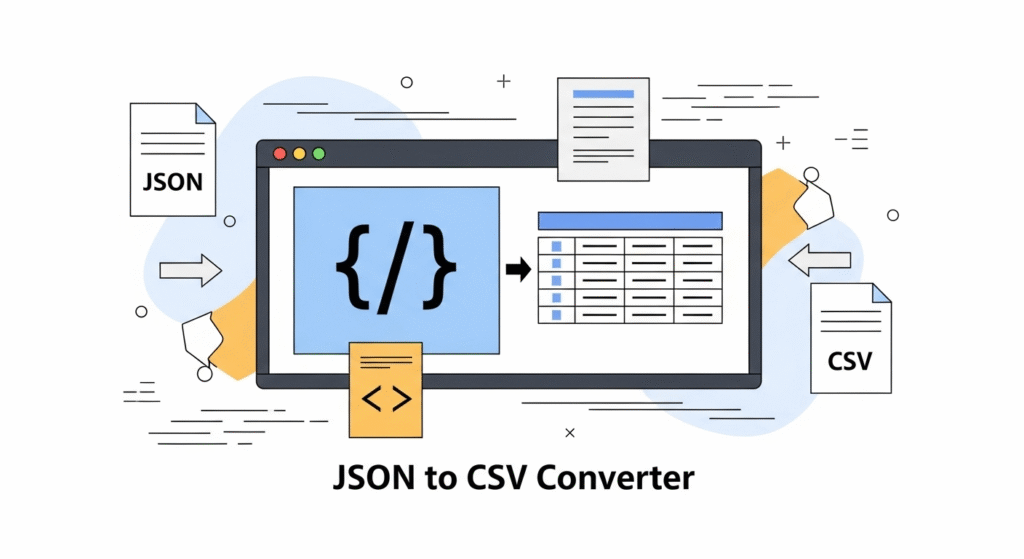
The JSON to CSV Converter is a free online tool that allows you to quickly convert structured JSON data into CSV format. Whether you’re a developer, data analyst, or student, this converter saves time by instantly transforming JSON arrays into a clean CSV file that can be downloaded, copied, or integrated into spreadsheets. All processing happens in your browser, ensuring privacy and security of your data.
📊 What is JSON to CSV Conversion?
JSON (JavaScript Object Notation) is a lightweight format for storing and exchanging data, widely used in APIs and databases. CSV (Comma-Separated Values) is a plain-text format often used for spreadsheets and database imports. Converting JSON to CSV makes it easier to analyze, share, and store data in common tools like Excel, Google Sheets, or database systems.
⚡ Why Use Our JSON to CSV Converter?
Manually converting JSON to CSV is time-consuming and error-prone. Our online tool offers instant, one-click conversion that is:
- ✅ Fast: Convert JSON arrays to CSV in seconds.
- ✅ Secure: All processing happens locally in your browser, no data is uploaded.
- ✅ Easy-to-Use: Paste JSON, click convert, and download CSV.
- ✅ Free: No sign-up or installation required.
- ✅ Developer-Friendly: Handles nested objects and arrays.
🛠️ How to Use the JSON to CSV Converter
- Paste JSON: Copy your JSON data (array of objects) into the input box.
- Click Convert: Instantly see the converted CSV output.
- Download or Copy: Save the CSV file to your system or copy it for direct use in spreadsheets.
💡 Example Conversion
Input JSON:
[{"name":"Alice","age":30},{"name":"Bob","age":25}]
Converted CSV:
name,age
Alice,30
Bob,25
This makes the data ready for analysis in Excel or Google Sheets.
📈 Benefits of Using JSON to CSV Conversion
- 🔹 Easily import JSON data into Excel or Sheets.
- 🔹 Make API results more readable and usable for reporting.
- 🔹 Save time on manual parsing and formatting.
- 🔹 Useful for developers, analysts, and students.
📑 Common Use Cases
- 🖥️ Developers: Converting API responses into CSV for debugging or reporting.
- 📊 Data Analysts: Using CSV for analytics and data visualization.
- 🎓 Students: Learning data formats by comparing JSON and CSV.
- 🏦 Business Teams: Exporting structured data into Excel for reporting.
🛡️ Privacy and Security
Unlike other tools, our JSON to CSV Converter processes data locally in your browser. This means your JSON never leaves your computer, making it 100% safe for sensitive or confidential datasets.
❓ Frequently Asked Questions
1. What is JSON?
JSON (JavaScript Object Notation) is a lightweight data format used for storing and exchanging structured data between servers and web applications.
2. What is CSV?
CSV (Comma-Separated Values) is a plain-text file format that stores tabular data, commonly used with spreadsheets and databases.
3. Can I convert large JSON files?
Yes, but performance depends on your browser. Since everything runs locally, large files may take longer to process.
4. Is this tool free to use?
Yes. The JSON to CSV Converter is 100% free, with no registration or limits.
5. Is my data secure?
Yes. All processing is done in your browser—nothing is uploaded to a server, ensuring complete data privacy.