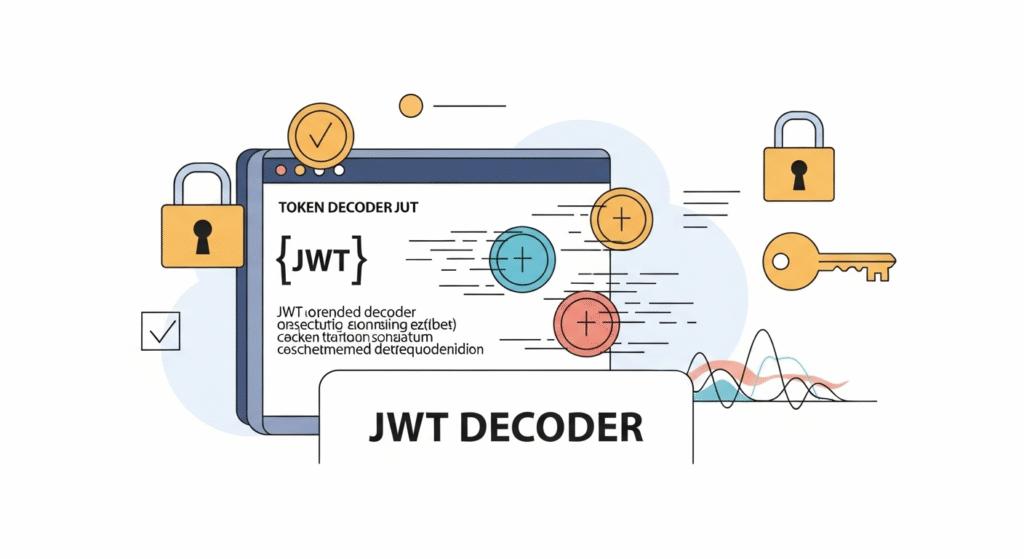
JWT Decoder – Free Online Tool to Decode JSON Web Tokens
JSON Web Tokens (JWT) are widely used in modern authentication systems, APIs, and secure communications. A JWT consists of three parts: the Header, Payload, and Signature. Developers and security professionals often need to quickly decode JWT tokens to inspect their contents, debug authentication issues, or verify data. That’s where our free online JWT Decoder comes in handy.
With this tool, you can instantly decode JWT tokens online and view their header, payload, and signature in a clean and readable format. Whether you are working on OAuth, OpenID Connect, API testing, or debugging a secure web application, this decoder provides quick insights into the structure of your token without requiring extra software installation.
🔑 What is a JWT (JSON Web Token)?
A JWT (JSON Web Token) is a compact, URL-safe means of representing claims between two parties. It is widely used in authorization and information exchange. JWTs are commonly used in web applications and APIs to securely transfer user authentication data.
Each JWT consists of three base64-encoded parts separated by dots (.):
- Header: Contains metadata about the token, such as the signing algorithm (e.g., HS256, RS256).
- Payload: Contains the claims (data) about the user or system, such as user ID, email, roles, or expiration time.
- Signature: Used to verify the authenticity of the token and ensure that it hasn’t been tampered with.
Example JWT structure:
xxxxx.yyyyy.zzzzz
⚡ Features of Our JWT Decoder
Our JWT Decoder tool is designed to make decoding tokens simple, fast, and accessible. Here’s what you get:
- ✅ Instant decoding – Simply paste your token and get results immediately.
- ✅ View Header, Payload, and Signature in a structured format.
- ✅ No external libraries required – Works fully in your browser.
- ✅ Developer-friendly – Useful for debugging API tokens, authentication, and OAuth implementations.
- ✅ Completely free & secure – Tokens are decoded locally in your browser and never sent to a server.
🛠️ How to Use the JWT Decoder
Using the decoder is very straightforward:
- Copy your JWT token from your application, API, or login system.
- Paste it into the input box of the decoder.
- Click the Decode button.
- View the decoded Header, Payload, and Signature instantly.
This makes it ideal for developers who need to test JWTs in real-time while building or debugging authentication workflows.
📘 Why Use a JWT Decoder?
Here are some scenarios where a JWT Decoder is extremely helpful:
- Debugging Authentication: Quickly check claims inside a token to troubleshoot login or API access issues.
- Verifying Token Structure: Ensure the header, payload, and signature are correctly formatted.
- Testing Expiry & Roles: Inspect claims such as
exp(expiry),iat(issued at), and user roles. - Learning & Education: Beginners can explore how JWTs work and understand their structure.
- API Development: Developers integrating OAuth2 or OpenID Connect can decode and analyze tokens during testing.
⚠️ Important Security Note
Decoding a JWT does not verify its signature. This means you can read the data, but you cannot guarantee that the data is valid or untampered. To fully validate a JWT, you must verify the signature against the server’s secret or public key.
Never share sensitive JWTs (such as production tokens with personal data) in untrusted environments. Our tool decodes tokens safely in the browser and does not send them over the internet, keeping your data private.
🔍 Understanding JWT Claims
JWT payloads usually contain claims, which are pieces of information about the user or system. Common claims include:
sub– Subject (user ID)name– Full name of the useremail– Email addressiat– Issued at timestampexp– Expiration timeaud– Audience (intended recipient)iss– Issuer of the token
These claims help systems make authorization decisions without needing to constantly query a database.
🎯 Advantages of Using JWTs
JWTs are so popular because they offer many benefits:
- ✔️ Compact: Small size makes them efficient for mobile apps and APIs.
- ✔️ Self-contained: All necessary data is stored in the token.
- ✔️ Stateless: No need for server-side session storage.
- ✔️ Cross-platform: Works across web, mobile, and IoT devices.
❓ Frequently Asked Questions (FAQ)
1. Is it safe to use a JWT Decoder online?
Yes, our JWT Decoder works entirely in your browser. Tokens are never sent to a server, so your data stays secure.
2. Can this tool verify the JWT signature?
No, this tool only decodes JWTs. To verify a JWT’s validity, you must use the correct secret or public key on your server.
3. Can I use this tool for OAuth and OpenID Connect?
Yes, this decoder is commonly used to inspect tokens generated during OAuth2 and OpenID Connect authentication flows.
4. Do JWTs always expire?
Not necessarily. While most tokens include an exp (expiration) claim, it depends on the system configuration.
🚀 Start Using the JWT Decoder Now
Ready to explore your JWT tokens? Use our free JWT Decoder tool today. Simply paste your token, decode it, and inspect the header, payload, and signature in real-time. It’s fast, secure, and completely free.
Try it now and simplify your JWT debugging process!